
See it running.
Real screens from the software. What the business works in day to day, and what you will be maintaining.
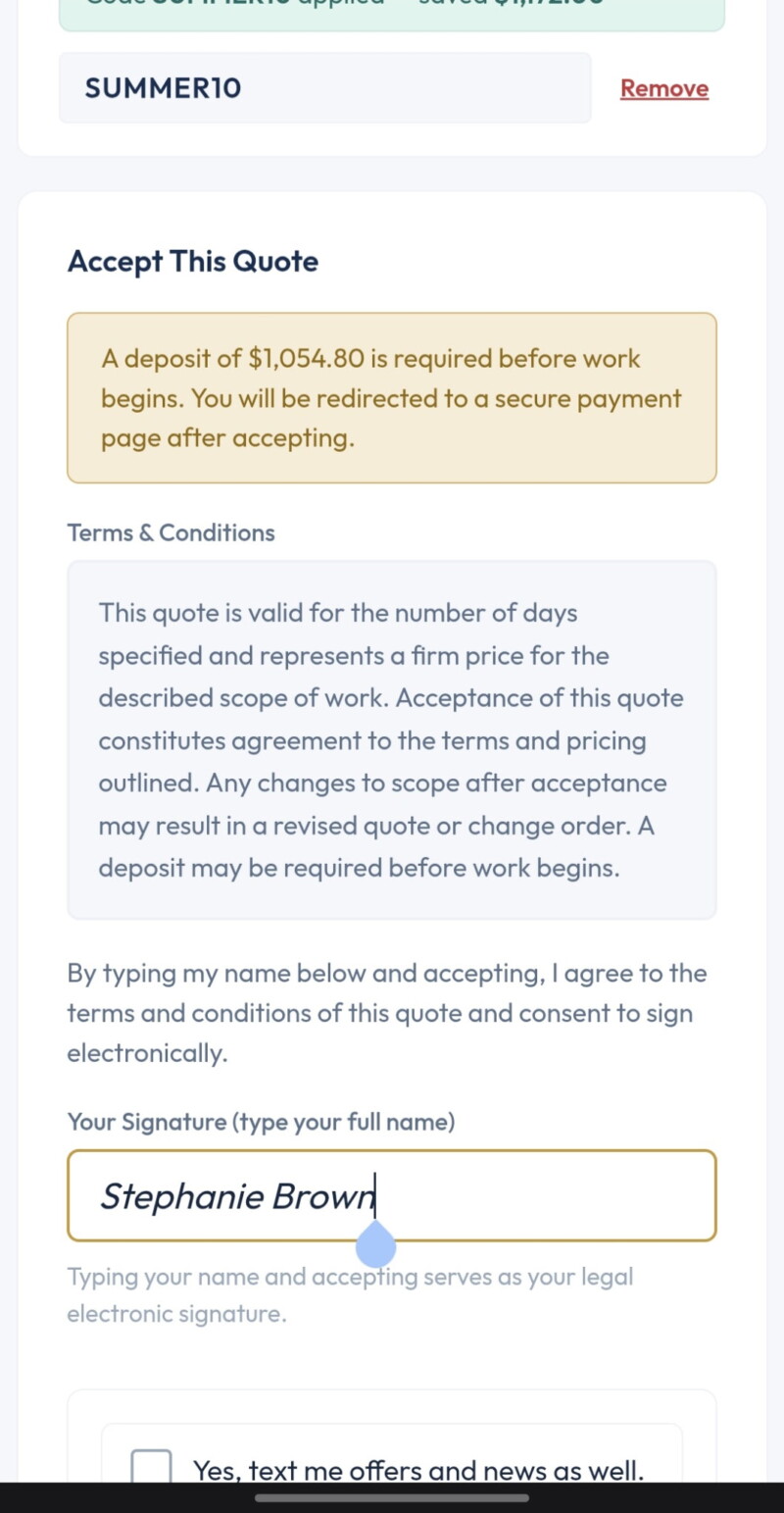
What Their Client Sees
A branded quote the client reads and signs from a phone, served from the domain you built, with no third party logo on it.
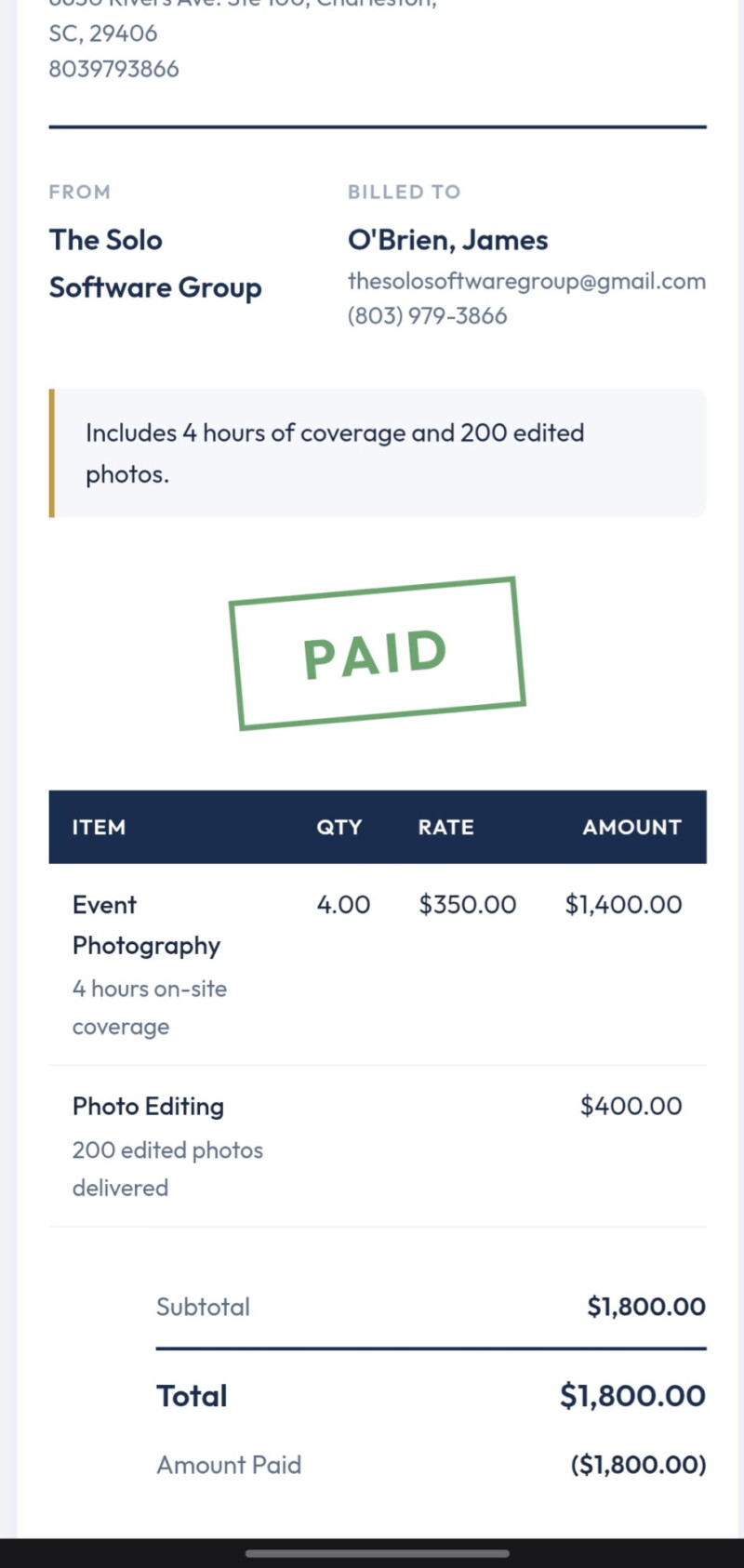
Paid, Receipt Already Out
Card payments settle into the business’s own Stripe account. The receipt sends itself. You are never the processor of record.
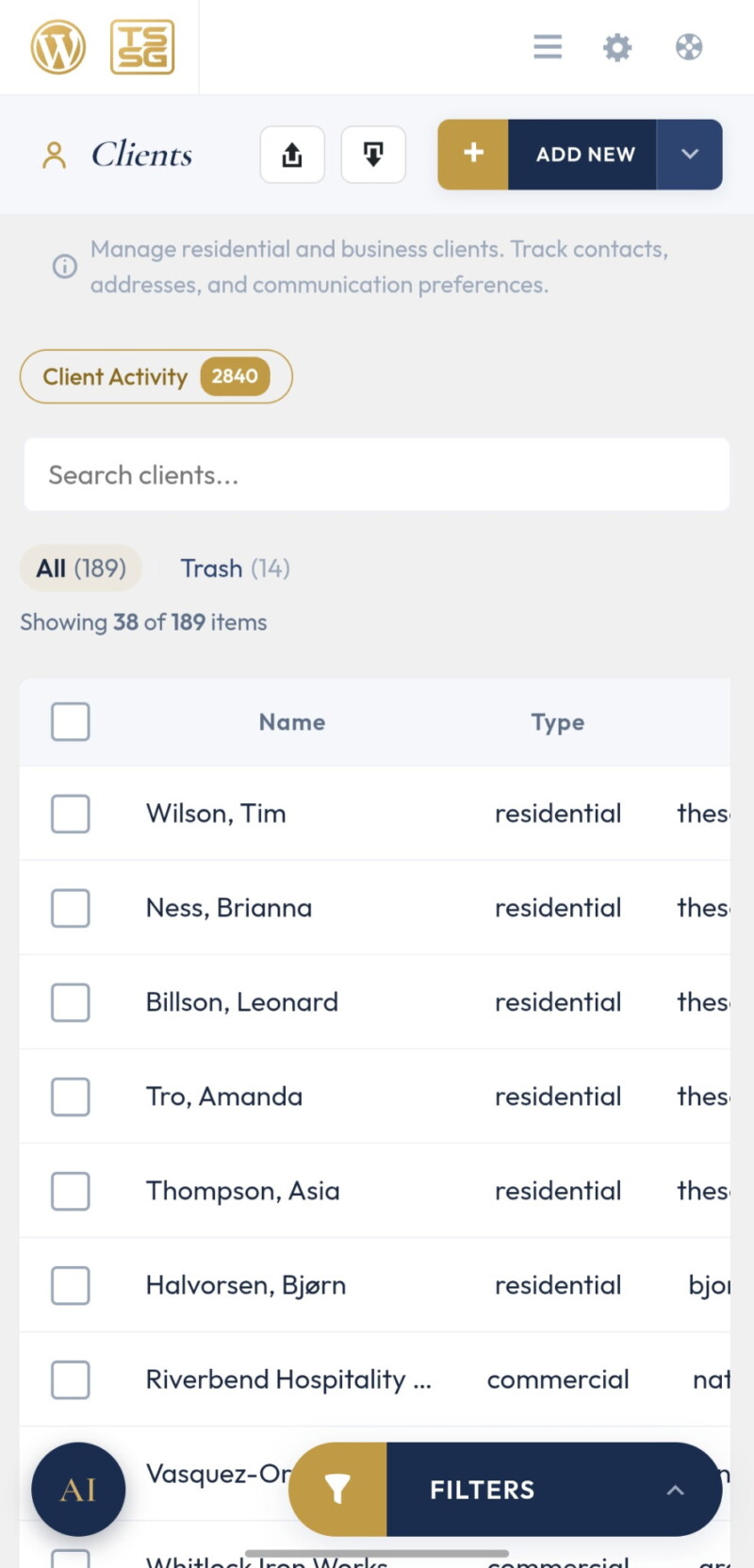
The Client List
Residential and commercial in one place, with status tabs, filters, and search. Import from a CSV on day one, export any time.
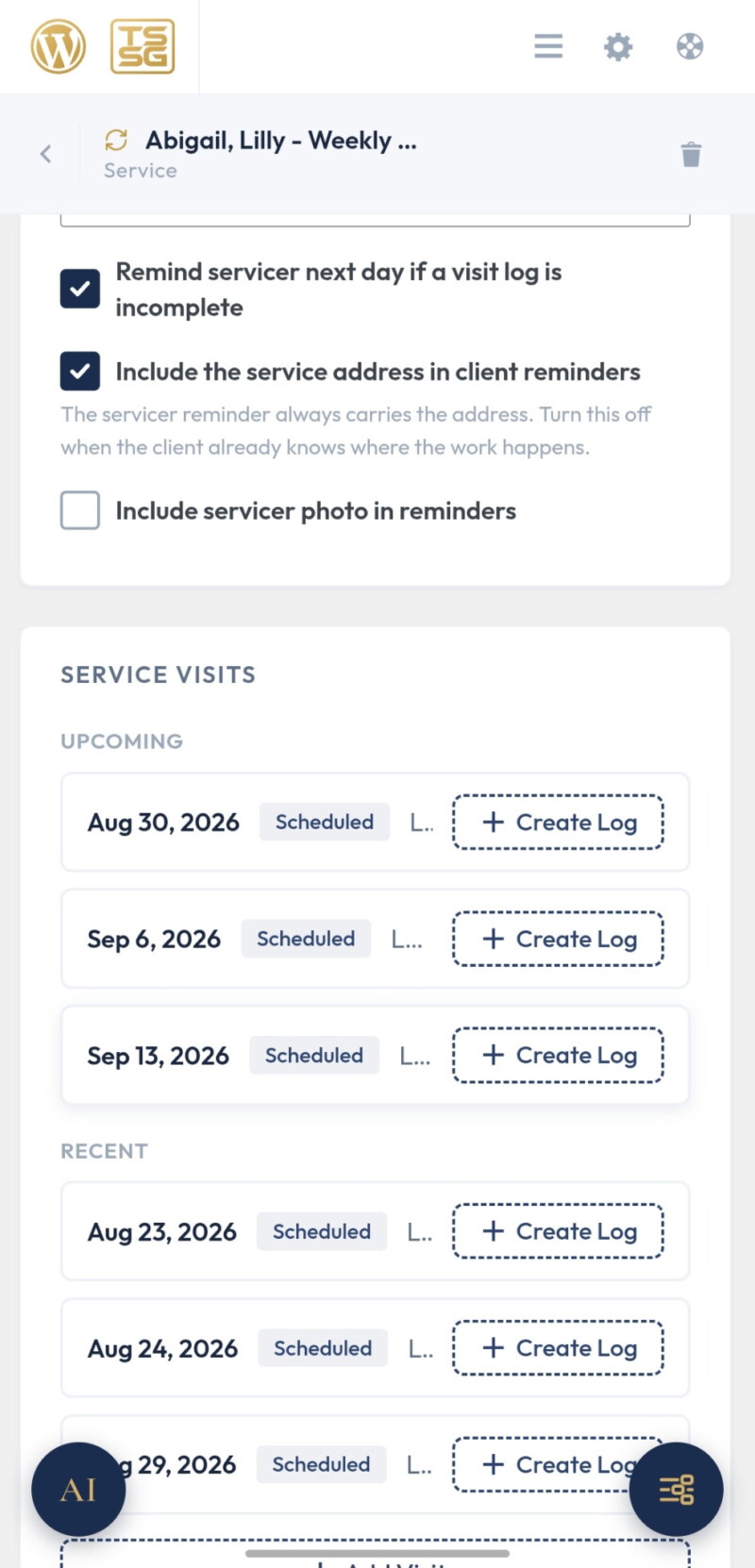
Recurring Service
Visits generated ahead on the schedule, assigned to a crew member, and logged on site. Billing follows the same rhythm on its own.
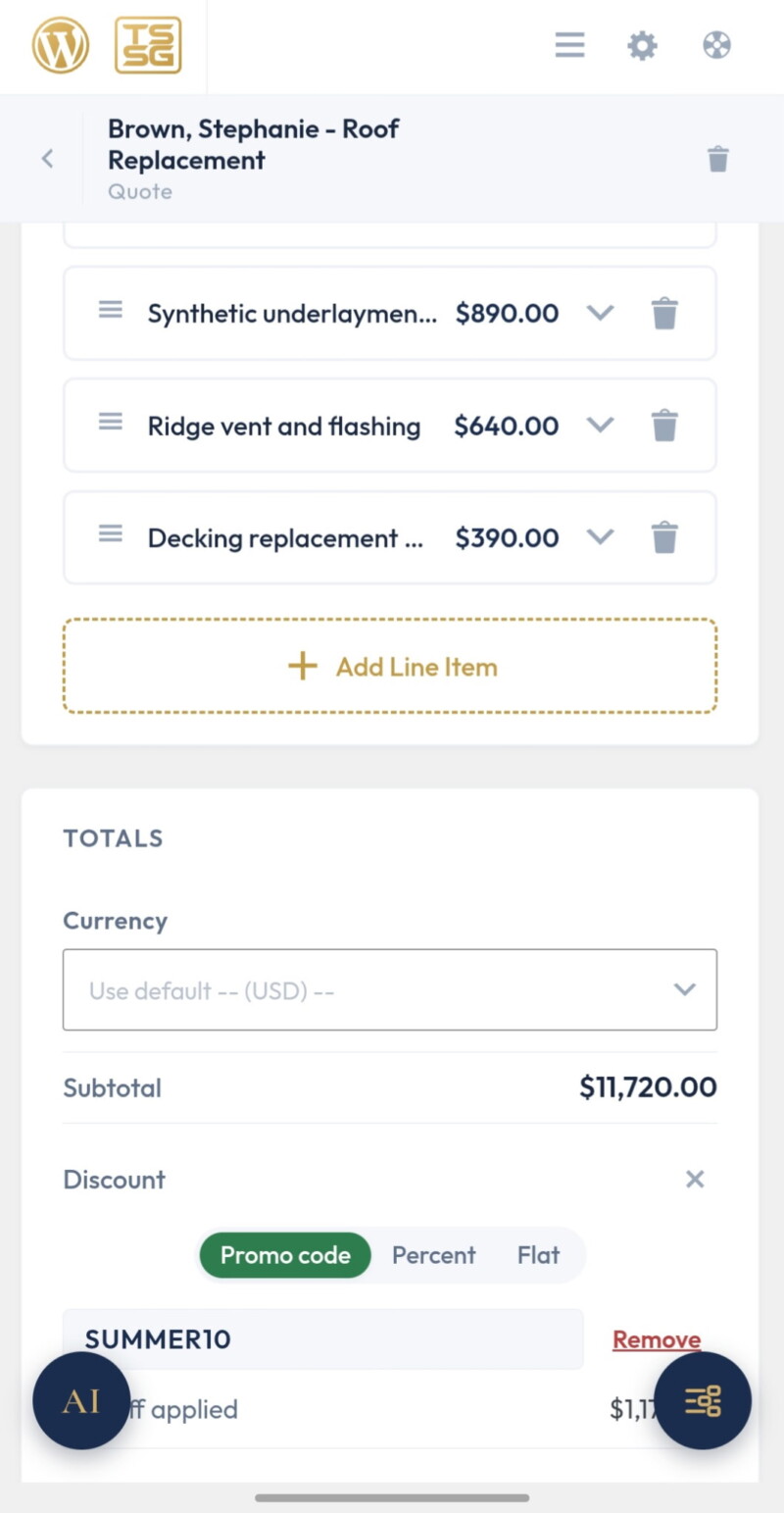
The Proposal Editor
Line items, deposits, discounts, expiry, and terms, with totals that stay correct without a spreadsheet beside the laptop.
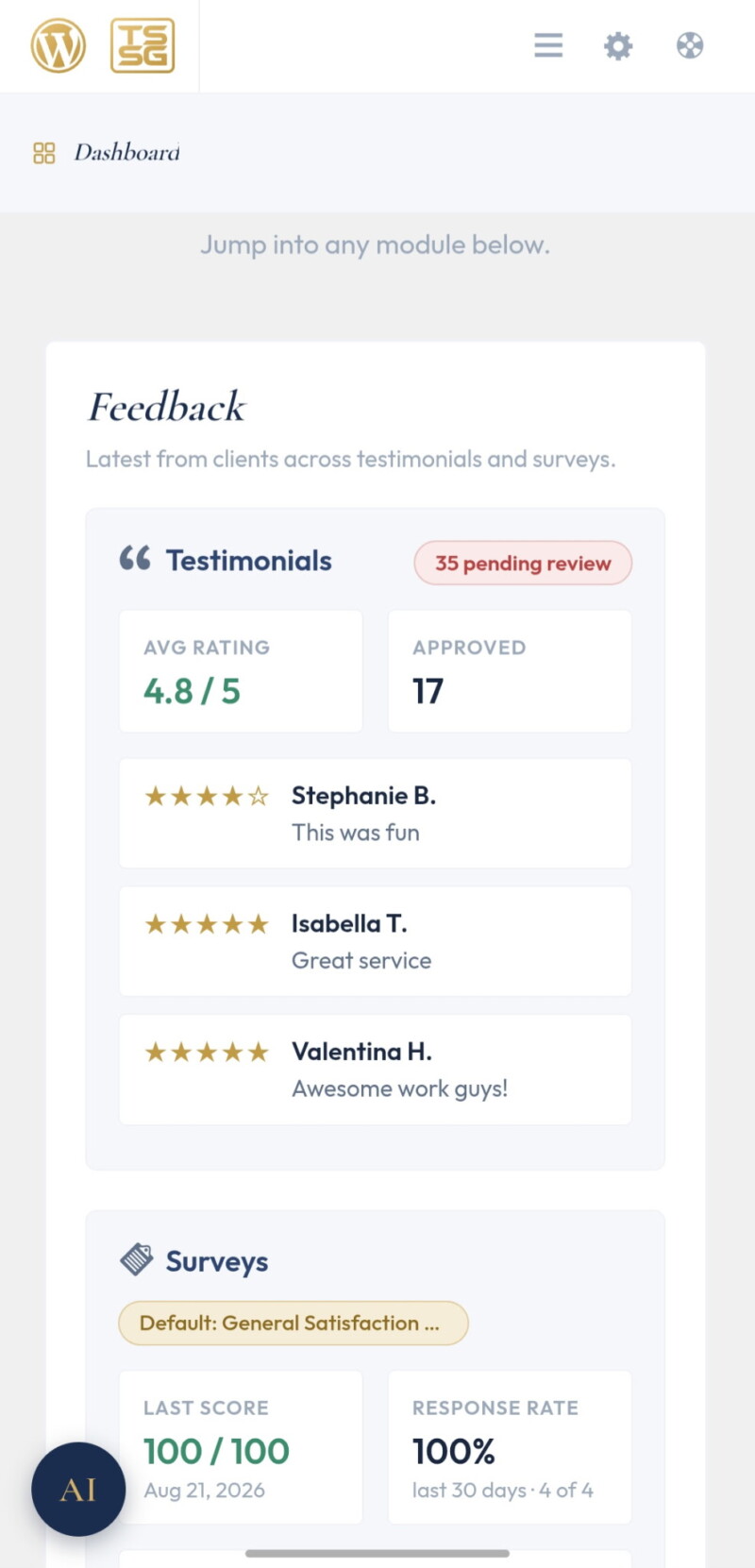
The Dashboard
Where the money is this month, on open. Outstanding, overdue, and collected, without running a report to find out.
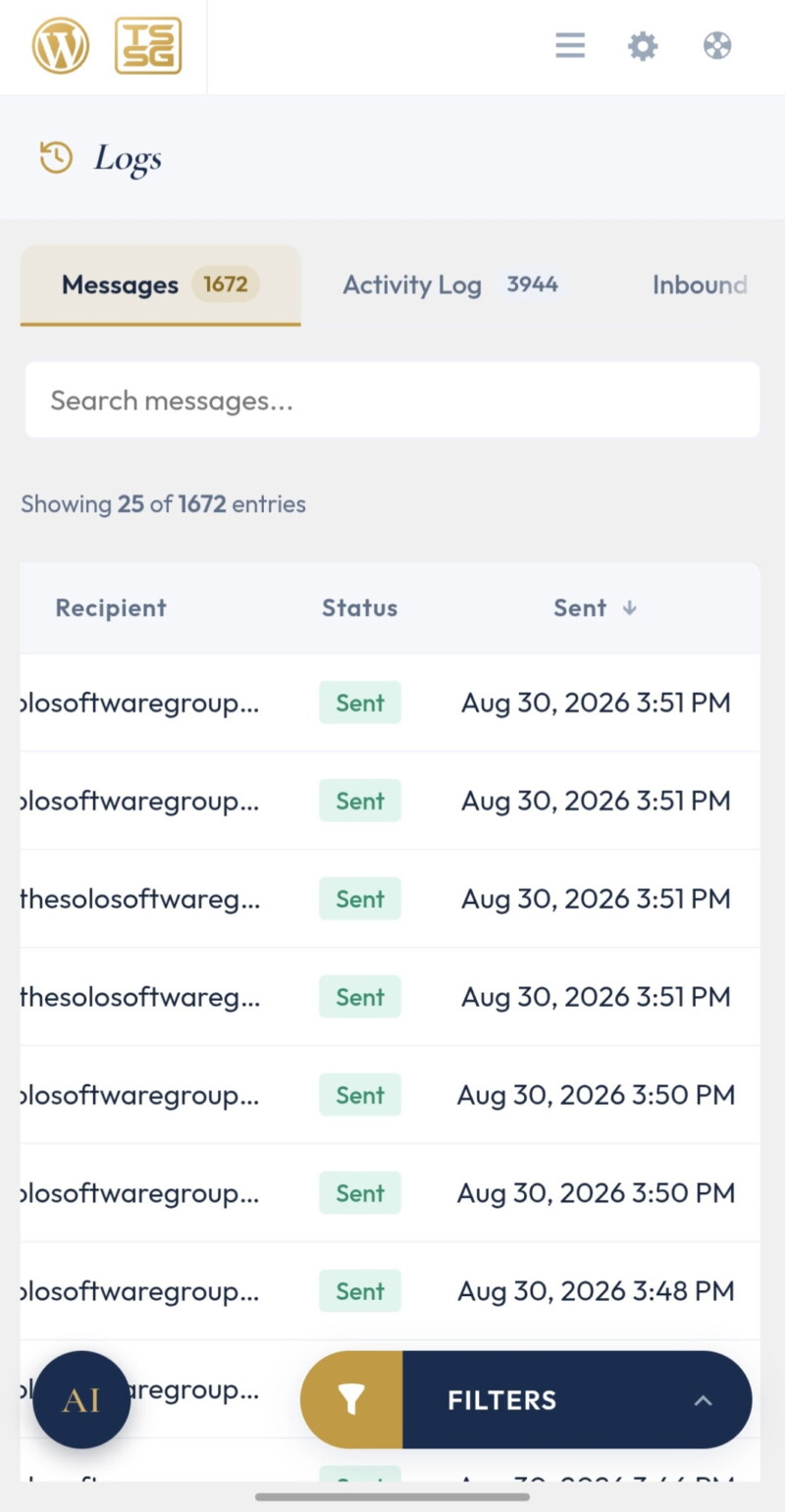
The Message Log
Every email and text with a delivery status, resendable from the same screen. This is the screen that turns “it never arrived” into a lookup instead of a support ticket.
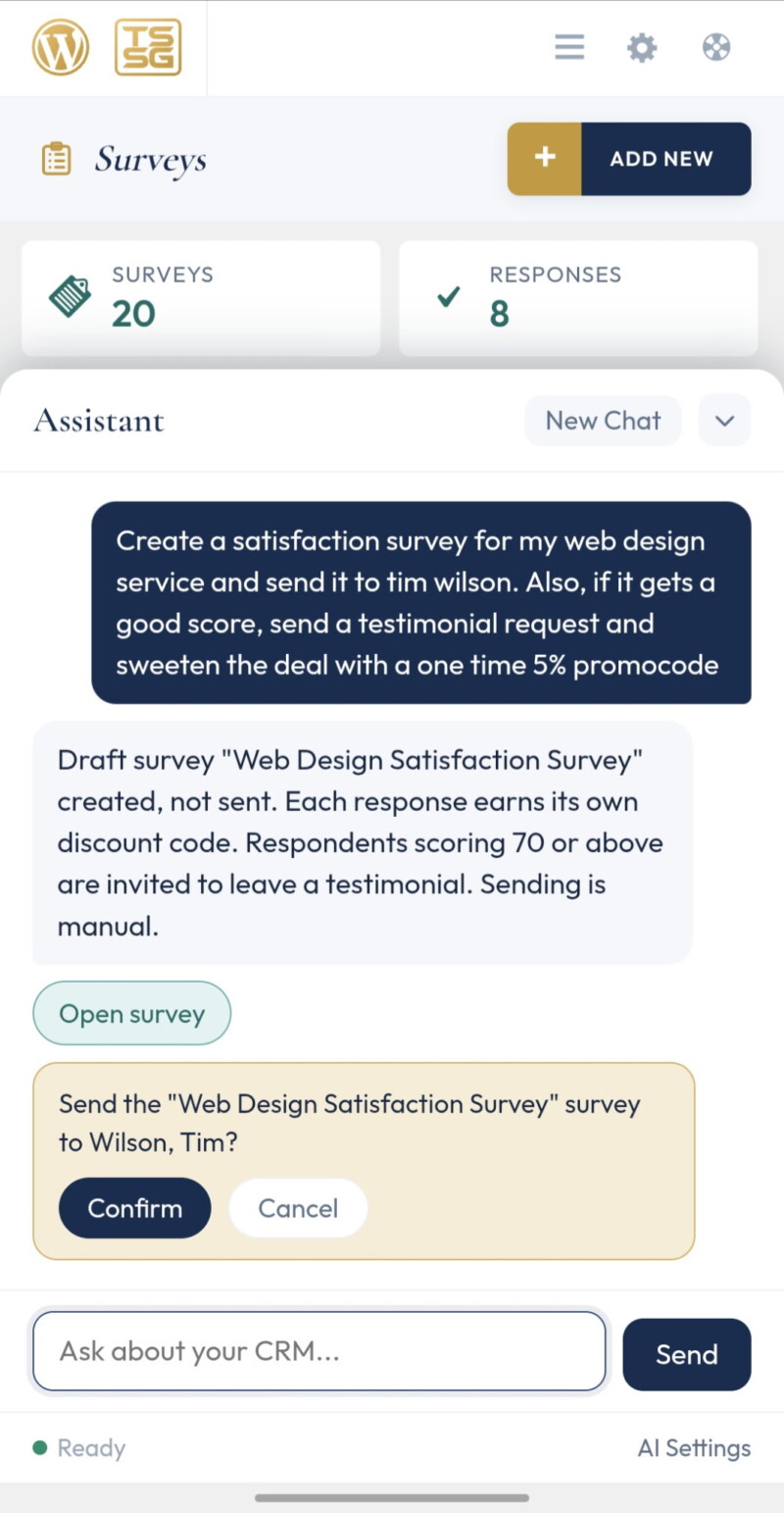
The Assistant, Mid-Action
It reads and writes real records from a prompt, and it stops for confirmation before anything saves. Not a chat panel bolted to a sidebar.
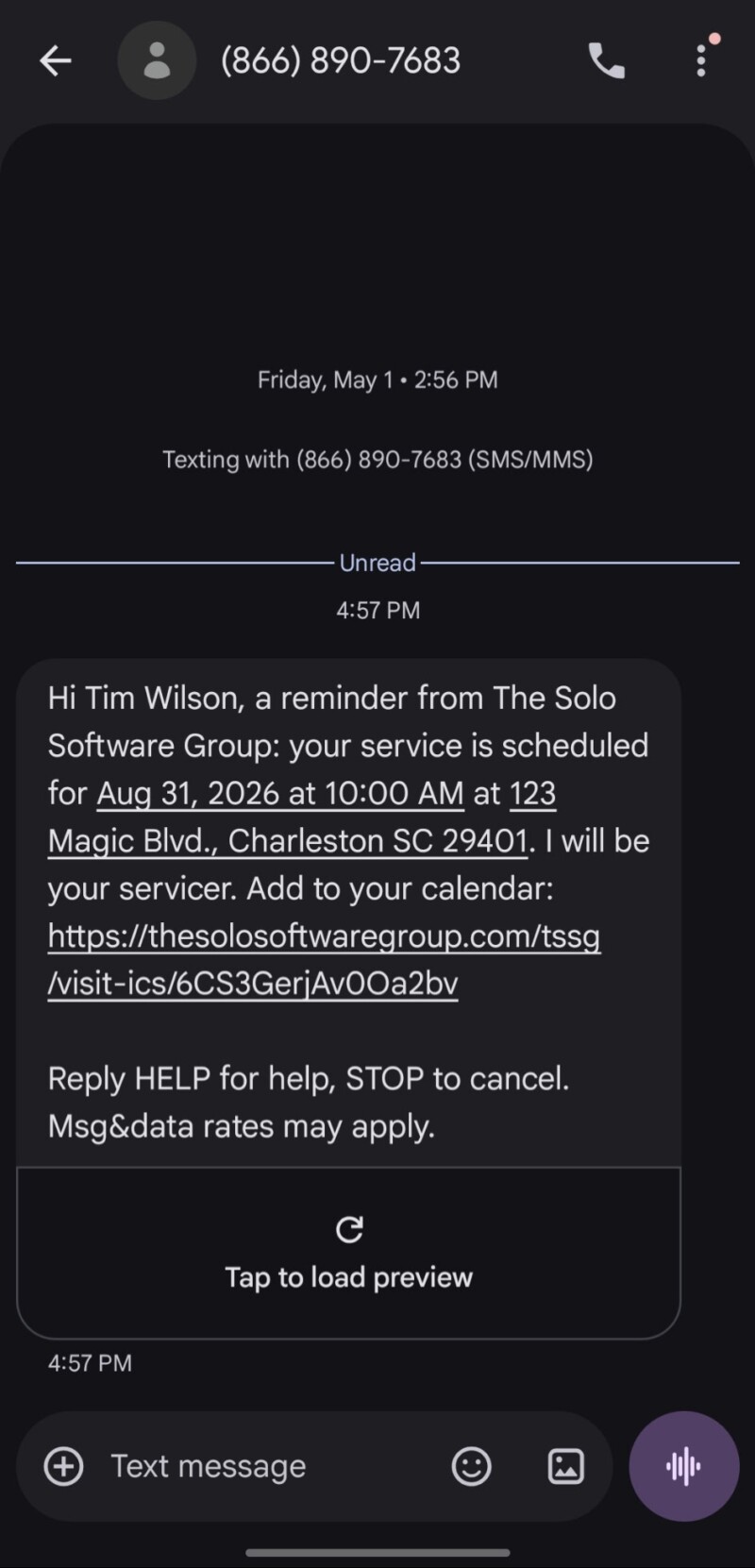
A Reminder, As the Client Gets It
Sent from the business’s own Twilio number, not a shared shortcode. Their number, their consent records, their sending reputation.
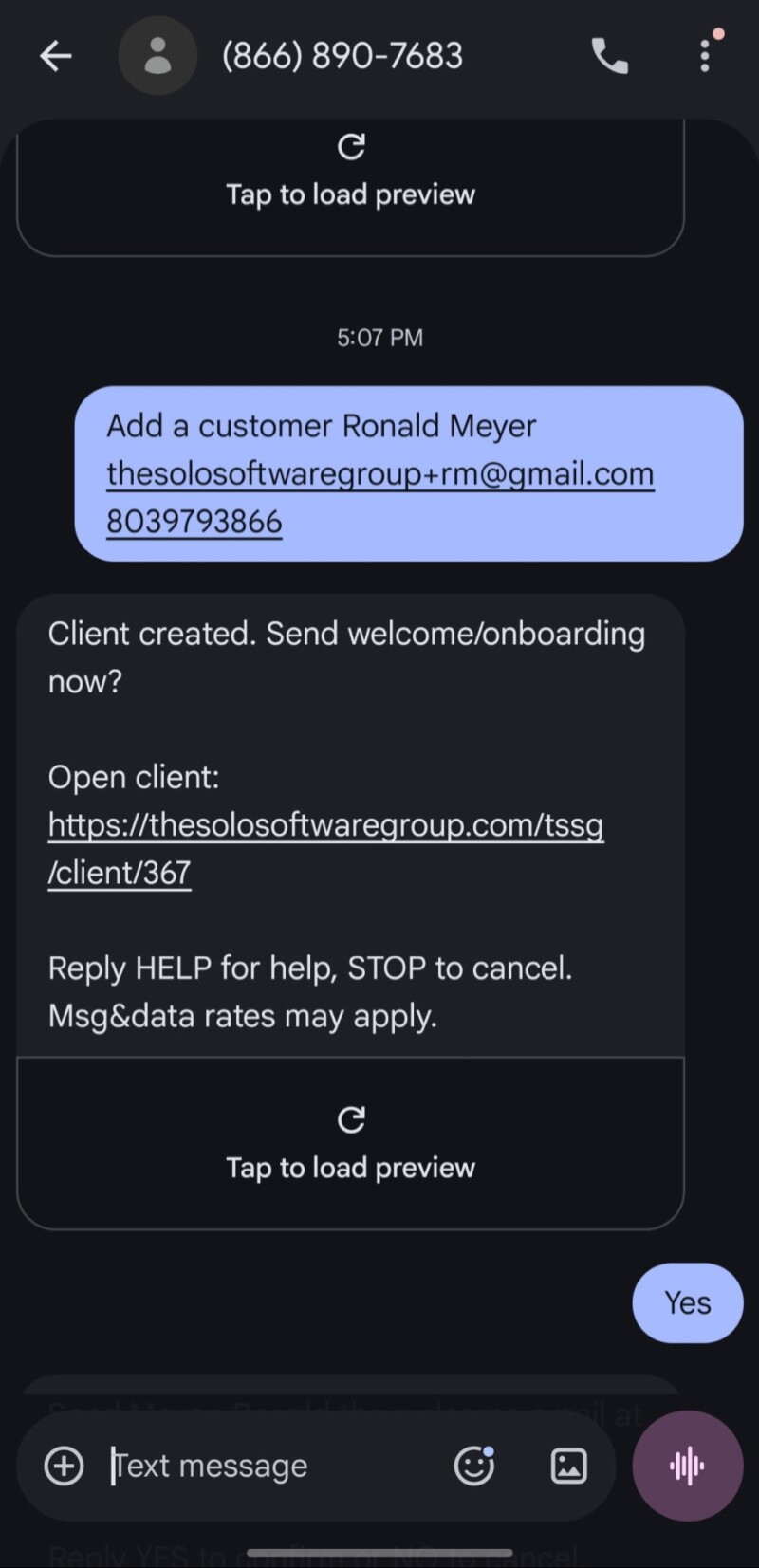
The Assistant Over Text
The owner texts their own CRM and it works the records. No app to install, no login on a job site, nothing new to teach them.
Questions before you put this on a client site?
You will hear back from the person who wrote the code, not a support queue.